Download Carefully
Start from the official LB66 website and inspect the file source.

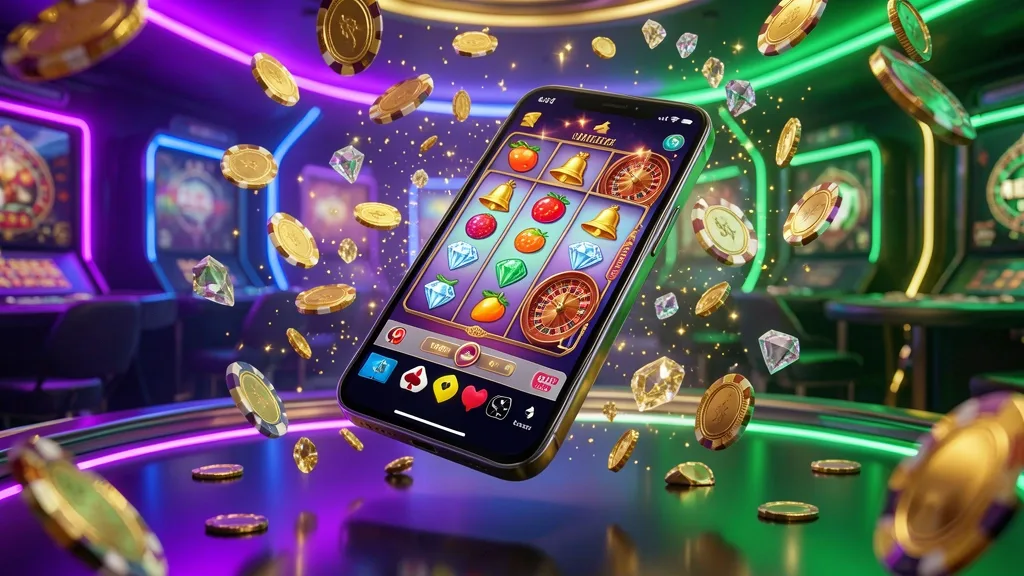
A practical player check
I tested the LB66 app during evening cricket sessions and regular slot play on a mid-range Android handset. The lobby opened cleanly, live markets stayed available while switching networks, and I spent less time waiting for pages to redraw.
This guide covers the official APK route, the Android settings that matter, iPhone alternatives, data use, account setup, and practical checks before you install LB66.
LB66 is distributed as an Android package rather than through Google Play. For Bangladesh users, the safest starting point is the LB66 homepage, where the current mobile download route should be visible.
Use the download control on the official site and let the file finish in your browser's Downloads folder. Avoid files forwarded through social groups, since their contents may differ from the genuine package.
Check these details before opening the file:
| Item | Expected detail |
|---|---|
| Package format | Android APK |
| Supported system | Android 6.0 or later |
| Storage buffer | Keep about 100 MB free |
| Download location | Browser Downloads folder |
| Update pattern | Check the official page regularly |
| Source check | Use the LB66 website only |
The source matters most. A copied installer can show a familiar login screen while collecting account details. If the page address, branding, or file behaviour looks unusual, stop and return to the official LB66 site.
The installation is straightforward on most recent Android phones. I completed the main process in under two minutes after allowing the browser to install the package.
First, tap the Android download control and wait until the APK has fully saved.
Next, allow your browser to install unknown applications. On newer Android releases, this permission belongs to the browser itself. Older versions may show the setting under Security.
Open the saved file from the notification panel or a file manager, then review the installer prompt.
Choose Install and wait for the package to complete. Do not open other installers claiming to be an LB66 update.
Launch the app and sign in with your existing details, or choose registration if you are new to the platform.
These are the permissions worth reviewing:
| Permission | Why it may appear | Suggested choice |
|---|---|---|
| Storage | Saves application and game data | Allow when requested |
| Notifications | Shows account or event alerts | Optional |
| Camera | May support identity checks | Use only when needed |
| Location | Can assist regional checks | Optional if requested |
| SMS or contacts | Not needed for ordinary use | Refuse and investigate |
Never approve unusual access just to finish an installation. A genuine LB66 package should not require contact lists, call history, or SMS access for normal gameplay.
Start from the official LB66 website and inspect the file source.
Allow unknown app installation only for the browser you used.
Launch LB66, then confirm the sign-in screen looks familiar.
There is no native LB66 iOS package described here. iPhone users can instead use the mobile website through Safari.
Safari provides access to the main casino lobby, games, sports markets, and account area without installing an APK.
The shortcut opens the site from your home screen and removes some repeated typing. App-specific notices or promotions may not appear through this browser route, so compare the current terms before relying on them.
I compared the APK with mobile Chrome over several sessions. The biggest difference was continuity: the app kept the lobby and bet slip together instead of rebuilding the page after every small action.
Practical differences I noticed:
Video uses the most data. On a prepaid Bangladesh connection, I would use Wi-Fi for long live sessions and keep streaming quality lower when using mobile data.
Live video uses more power than slots, especially with high screen brightness.
Older devices may need standard video quality during longer live sessions.
Some operators attach installation or notification benefits to the app rather than the browser. For LB66, read the current offer wording on the promotion page before activating anything.
Do not assume a browser promotion and an app promotion are interchangeable. The active terms control, including eligibility, expiry, and any withdrawal conditions.
Most APK errors come from storage, a blocked installer permission, or an incomplete download. Work through the checks below before trying a different file.
Do not use a random replacement APK because one download failed. Record the Android version and error text, then obtain a fresh package from the LB66 source.
New users can register from the app or use the LB66 login page if the opening screen does not show the sign-up option.
Use contact details you can access regularly. Before adding funds or requesting a withdrawal, check the account rules and make sure your profile information matches the details requested by LB66.

For occasional visits, the mobile website may be enough. The APK makes more sense when you regularly move between live cricket, casino tables, and slots and want a dedicated shortcut.
It also keeps the main platform separate from ordinary browser tabs. That can make repeated sessions easier to resume, although video play still depends on your phone, signal, and data plan.
My practical advice is simple: install only from the LB66 homepage, review permissions carefully, and compare the current app terms before expecting any installation-related benefit.
Use the package obtained directly from the official LB66 website and avoid copies from chat groups, forums, or file mirrors. Review the requested permissions before completing installation.
The Android package is supplied through the website rather than the Google Play route. Download it only from the official LB66 source and check the file details before opening it.
You can access the mobile website through Safari. Add the site to your home screen if you want a shortcut, but do not install an Android APK on iOS.
Slots may use around 5 to 10 MB per hour, live casino about 15 to 30 MB, and cricket video roughly 60 to 100 MB. Lowering video quality can reduce consumption.
Installing a compatible update should not remove the online account. Keep your sign-in details available, and download the new package from the official LB66 page.
Your account access depends on LB66's current security rules. Avoid simultaneous activity on different devices if it causes verification prompts, and follow any support instructions.
Removing the app does not itself delete the online account. You can return through the mobile website or install the official package again, subject to the account rules.